
Why Your PlayStation 5 Is Overheating (Common Causes & Solutions)
Is your PS5 overheating, shutting down or becoming unusually loud? Learn the common causes of PlayStation 5 overheating, including dust build-up, poor airflow, fan issues and cooling system faults, plus when to book a professional...
Why Your PlayStation 5 Is Overheating (Common Causes & Solutions)
PlayStation 5 overheating is one of the most common console faults we see at Tech Titans Manchester. Many PS5 owners notice problems such as loud fan noise, overheating warnings, unexpected shutdowns or excessive heat during gameplay.
While overheating issues can happen at any time of year, warmer summer temperatures often make existing cooling problems much more noticeable.
In this guide, we'll explain the most common causes of PS5 overheating, what warning signs to look out for, and how professional diagnostics can help prevent long-term damage.

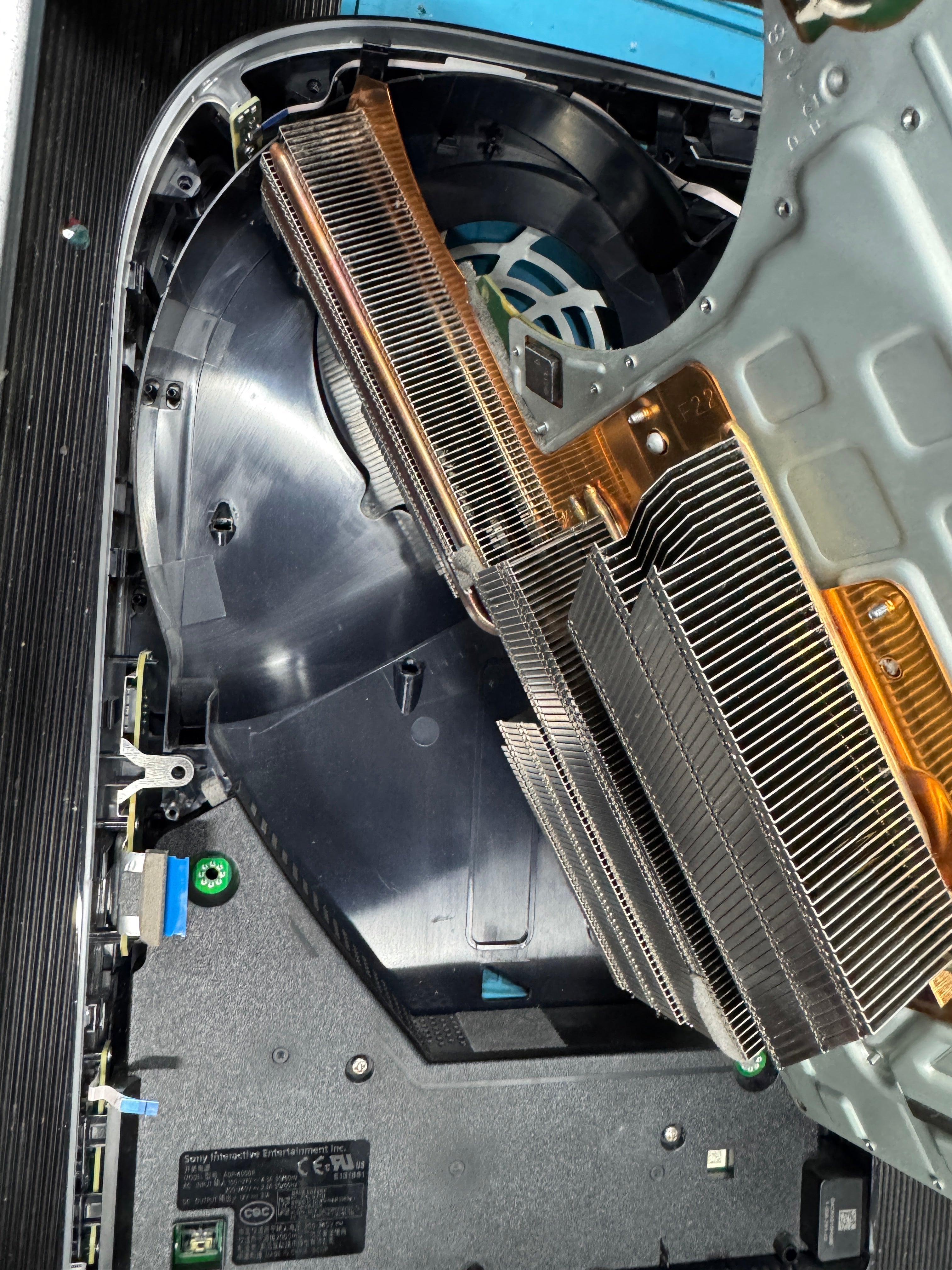
Before cleaning: dust build-up restricting airflow inside the PS5.

After cleaning: improved airflow after removing internal dust build-up.
1. The PS5 Uses Liquid Metal Cooling
Unlike older consoles that use standard thermal paste, the PlayStation 5 uses a liquid metal cooling compound between the processor and heatsink.
Liquid metal transfers heat extremely efficiently, allowing the PS5 to maintain high performance during demanding games. However, the cooling system still depends heavily on:
Clean airflow
Functioning fans
Unobstructed heatsinks
Stable operating temperatures
If airflow becomes restricted or internal temperatures rise too high, the console may struggle to cool itself properly.
If your console continues overheating, our PlayStation repair services can diagnose cooling issues, internal faults and airflow problems before permanent damage occurs.
2. Dust Build-Up Restricts Airflow
Dust is one of the leading causes of overheating in PlayStation 5 consoles.
Over time, dust collects inside:
Cooling vents
Internal fans
Heatsinks
Airflow channels
This reduces cooling efficiency and forces the fan to work harder than normal.
Common signs of dust-related overheating include:
Loud fan noise
Excessive heat from the rear vents
Random shutdowns
Performance drops
Overheating messages during gaming sessions
During summer, higher room temperatures can make these issues significantly worse.
3. Poor Ventilation and Console Placement
The PS5 requires proper airflow around the console to dissipate heat effectively.
Overheating problems are commonly caused by:
Enclosed cabinets
Tight shelving spaces
Blocked vents
Carpets or soft surfaces
Positioning the console directly against walls
Without enough ventilation, heat becomes trapped around the console and internal temperatures increase rapidly.
4. Long Gaming Sessions Increase Internal Temperatures
Modern PlayStation 5 games place substantial demand on the console's hardware, especially when running:
4K graphics
High frame rates
Ray tracing
Graphically intensive online games
Long gaming sessions naturally generate more heat internally. If the cooling system is already restricted by dust or airflow problems, overheating becomes much more likely.
5. Cooling Fan Problems
A worn or partially failing fan can prevent the PS5 from cooling itself efficiently.
Signs of cooling fan problems include:
Buzzing or rattling noises
Inconsistent fan speeds
Overheating shortly after startup
Excessive heat during normal gameplay
Professional diagnostics can determine whether the fan requires cleaning, repair or replacement.
6. HDMI and Power Faults Can Sometimes Contribute
Some PlayStation 5 consoles experiencing HDMI or power-related issues may also run hotter than normal.
Faulty power delivery or motherboard strain can sometimes increase system instability and heat generation, especially during demanding games.
If your PS5:
Loses display signal
Shuts down unexpectedly
Becomes extremely hot
it may require a full hardware inspection.
If you're experiencing these issues, our PlayStation repair services include diagnostics and hardware repairs.
7. Can Overheating Damage a PS5?
Yes. Repeated overheating can potentially lead to:
Motherboard stress
Solder joint fatigue
System instability
Shortened component lifespan
Permanent hardware damage over time
Addressing overheating problems early can help prevent more serious faults developing later.
8. How to Help Prevent PS5 Overheating
You can help reduce overheating risk by:
Keeping the console in a well-ventilated area
Cleaning external vents regularly
Avoiding enclosed spaces
Reducing dust build-up
Allowing airflow around the console
However, if overheating continues, internal cleaning and diagnostics may be required.
9. PS5 Overheating Repairs in Manchester
At Tech Titans Manchester, we provide PlayStation 5 diagnostics and repairs including:
Overheating repairs
Internal cleaning
Fan replacement
HDMI port repair
Power fault diagnostics
Hardware troubleshooting
We regularly repair consoles experiencing overheating problems, loud fan noise and unexpected shutdowns.
If your console is overheating or shutting down during gameplay, visit our PlayStation Repairs page today for a free repair quote.
Final Thoughts
PS5 overheating problems are often caused by restricted airflow, dust build-up, cooling fan issues or high internal temperatures during demanding gameplay.
While warmer weather can make these problems more noticeable, overheating itself is usually a sign that the cooling system is struggling to dissipate heat efficiently.
Keeping your console clean and properly ventilated can help reduce overheating risk, but persistent problems should always be diagnosed before permanent damage occurs.